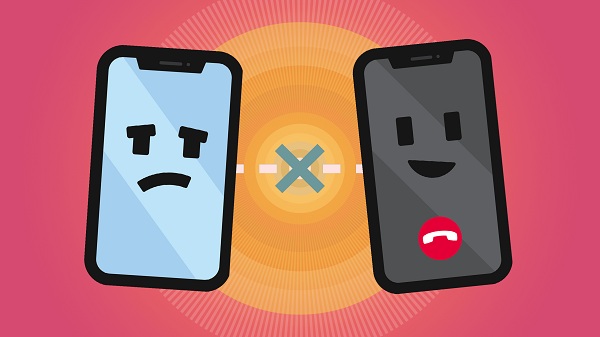
FaceTime received one of the biggest feature enhancements in iOS 15 and iPadOS 15. Apple did not receive positive opinions from users until iOS 14 regarding the reliability of FaceTime. You may have FaceTime connection problems while on a call. Read on to learn what to do when FaceTime won’t connect on iPhone.
Now you can create a FaceTime call shortcut, share a screen using FaceTime, listen to music and watch TV shows with SharePlay, and even your friends with an Android or Windows phone can join a FaceTime call. All of these features are useless when you can’t make a FaceTime call. Let’s solve the problem.
- Connect to Wi-Fi
FaceTime requires a high-speed Internet connection for a hassle-free video call. If you’re using a slow mobile network, it’s time to connect it to a high-speed Wi-Fi network.
Swipe down from the top right corner and reveal the Control Center. Enable Wi-Fi and connect to a 5 GHz Wi-Fi frequency on iPhone. Before dialing a FaceTime call, you should use the Speedtest app and check the internet speed on your phone.
- Enable Facetime
Did a recent iOS update log you out of FaceTime on iPhone? In that case, you will not be able to access the FaceTime home page on the iPhone. You need to enable FaceTime from the Settings menu.
- Open the Settings app on the iPhone.
- Scroll down to the FaceTime menu.
- Open FaceTime and enable FaceTime from the following menu.
Alternatively, you can open FaceTime and tap Continue from the home page. The option will automatically enable the FaceTime switch. When the FaceTime switch is disabled, you will not be able to receive calls from iPhone to Mac as well.
- Check the Facetime Caller ID
Have you changed Apple Email ID on iPhone recently? You need to make changes to FaceTime. Follow the steps below.
- Open the iPhone settings and go to FaceTime.
- From the Caller ID section, select your new Apple ID.
Now you won’t get the FaceTime connection error as your iPhone is using the new Apple Email ID.
- Check the Apple System Status page
FaceTime won’t connect on iPhone may be due to Apple server malfunction. If Apple’s servers are down, you won’t be able to FaceTime on iPhone. Regardless of what makeup you try, you won’t be able to make a FaceTime call.
You can go to the Apple System Status page and check FaceTime status. If there’s a green indicator next to FaceTime, it means it’s working as expected. If things go wrong, you will notice a red indicator. You have no choice but to wait for Apple to fix the problem from the end.
- Disable low data mode
Low data mode helps reduce mobile data usage. When the switch is mobile enabled, iOS will reduce data usage on iPhone. Practice can lead to FaceTime connection problems on iPhone. You must disable low data mode for your data plan. That’s how.
- Open the Settings app on the iPhone.
- Go to the Mobile Data menu.
- Select the data plan.
- Disable low data mode from the following menu.
- Reset Network Settings
This trick can help you fix the FaceTime connection problem on iPhone. You can reset the network settings on your iPhone and try making a FaceTime call again.
- Go to the Settings app on the iPhone.
- Scroll down to the General menu.
- Tap Transfer or Restore iPhone.
- Select Reset and tap Reset Network Settings from the context menu.
Open FaceTime and tap the New FaceTime button at the top.
- Update iOS
FaceTime is part of the iOS upgrade package. Apple does not distribute FaceTime from the App Store. The company improves the service through iOS updates on the iPhone. Open the Settings app and go to the General menu. Select Software Update and install the latest operating system on the iPhone. Update iPhone, the complete guide
- Try the Facetime alternatives
If FaceTime still doesn’t connect on iPhone, you can try some alternatives. And there’s no shortage of FaceTime rivals from the App Store. Some noteworthy mentions include apps like WhatsApp, Zoom, Skype, Microsoft Teams, and Google Duo. In short, you won’t have a hard time connecting with your loved one via a video call.