Whether it’s your first WordPress project or your fiftieth, you’ve likely heard about CodeWP Ai. Known for generating various types of WordPress code, CodeWP is praised for saving time and reducing coding headaches. But is it all it claims to be? Let’s dive in and explore if CodeWP might be the right tool for you.
Table of Contents
ToggleWhat is CodeWP?
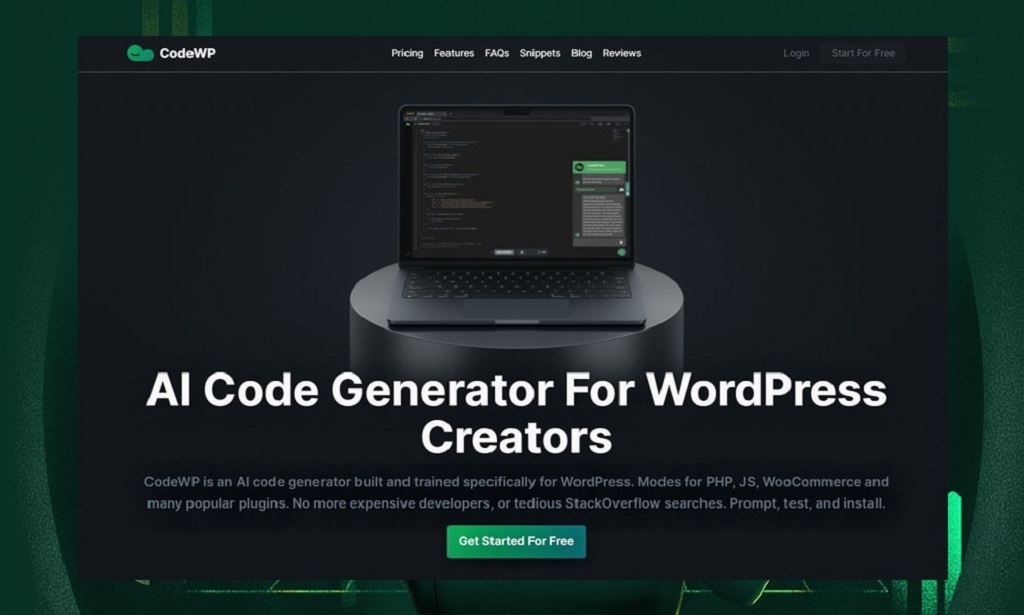
CodeWP acts as a personal coding assistant, designed to generate WordPress code using AI. Whether you need to create a custom post type or add advanced WooCommerce functionality, CodeWP can help. Instead of working directly with PHP, CSS, or JavaScript, CodeWP’s user-friendly interface allows you to specify what you need, generating code that’s ready to paste into your website.
Read More Also: Yaara Review: Is This Friendship Saga Worth Your Time?
Why Use CodeWP?
Not a developer? That’s okay! CodeWP can be a valuable tool even for beginners. Here’s why:
- Saves Time: Coding can be time-consuming. CodeWP automates common tasks, freeing you up for other business activities.
- Reduces Errors: Small coding errors can cause big issues. CodeWP helps prevent mistakes by generating clean, accurate code.
- Boosts Efficiency: It enables you to accomplish tasks that might otherwise require a developer.
- User-Friendly: The interface is intuitive, making it accessible even for non-coders.
Over 60% of WordPress users identify as non-coders, and tools like CodeWP empower them to manage websites more effectively.
What Can CodeWP Do?
CodeWP offers a wide range of features. Here are just a few ways it can help:
- Custom Post Types & Taxonomies: Quickly add a portfolio or recipe section by generating custom post types and taxonomies.
- WooCommerce Customizations: Modify your WooCommerce store with product filters, dynamic pricing, and custom checkout fields.
- Form Creation: Need a contact form or survey? CodeWP generates the code, complete with validation and notifications.
- Dynamic Content: Easily add related posts, popular products, or recent comments to your site.
- Plugin Integration: CodeWP integrates with popular WordPress plugins like Elementor, Advanced Custom Fields, and Yoast SEO.
How CodeWP Works: An Example
Let’s say you want to create a custom post type for “Projects.” Here’s how to do it with CodeWP:
- Select “Custom Post Type” from the menu.
- Name your post type: Enter “Projects.”
- Customize the settings (archive page, featured images, etc.).
- Click “Generate Code” to let CodeWP do its magic.
- Copy and paste the code into your website’s functions.php file or use a code snippets plugin.
And that’s it—you’ve created a custom post type without writing a line of code!
CodeWP Pros: What I Love About It
After using CodeWP for a while, here’s what stands out:
- Intuitive Interface: Even for coding newcomers, the interface is clean and easy to navigate.
- Versatile Features: CodeWP’s variety of features suits a range of WordPress tasks.
- Time-Saving: Automates tedious tasks, giving you more time for other work.
- Accurate Code: Generates reliable code that minimizes errors.
- Strong Support: The CodeWP team is quick to help with any issues.
- Regular Updates: New features and improvements are added frequently.
CodeWP Cons: What Could Be Better?
No tool is perfect, and CodeWP is no exception:
- Cost: CodeWP is subscription-based and may be pricey for beginners.
- Learning Curve: Although user-friendly, there’s still some learning required to master all features.
- Limited in Scope: Some complex coding tasks may be beyond CodeWP’s current capabilities.
CodeWP Pricing: What to Expect
CodeWP offers different pricing plans to meet various needs. A free trial lets you explore the tool before committing. Paid plans are based on the number of code generations you need each month. Try the free trial first to see if CodeWP fits your workflow, then upgrade if needed.
CodeWP vs. Competitors
CodeWP’s main competitors include:
- WPCodeBox: Another code generator with similar features.
- GenerateWP: Primarily focuses on WordPress-specific code, like custom post types and shortcodes.
Each has its strengths, but CodeWP stands out for its user-friendly interface and extensive features. The best choice depends on your unique needs and preferences.
The AI Behind CodeWP: Shaping the Future of WordPress
CodeWP is powered by AI, allowing it to learn and improve over time. AI is transforming website building, enabling even non-coders to create complex WordPress sites.
Who Should Use CodeWP?
CodeWP is beneficial for various users, including:
- Beginners: Get started without needing coding skills.
- Bloggers: Add custom features without hiring a developer.
- Freelancers: Save time and boost productivity.
- Agencies: Efficiently manage multiple WordPress sites.
If you work with WordPress and want to save time while enhancing site quality, CodeWP is worth considering.
CodeWP FAQs
Is CodeWP easy to use?
Absolutely! CodeWP is designed to be user-friendly.
Do I need coding experience to use CodeWP?
Nope! Though basic HTML and CSS knowledge is helpful, it’s not necessary.
Can I use CodeWP with any WordPress theme?
Yes, CodeWP works with all well-coded WordPress themes.
Is customer support available?
Yes, CodeWP provides responsive email and chat support.
Is it worth the price?
If you frequently use WordPress and value efficiency, CodeWP can be a worthwhile investment.
Can I try CodeWP for free?
Yes, a free trial is available.
CodeWP and Elementor: A Powerful Duo
If you use Elementor, CodeWP integrates seamlessly, generating code for widgets, custom post types, and more, making it easier to build dynamic, complex websites.
CodeWP and WooCommerce: Boosting Your Store
For WooCommerce users, CodeWP offers features like:
- Product Filters: Enable customers to filter by category, price, etc.
- Custom Checkout Fields: Add fields for gift messages, delivery instructions, etc.
- Dynamic Pricing: Set rules based on quantity, user role, or other conditions.
With CodeWP, you can take your WooCommerce store to the next level.
My Honest Opinion on CodeWP
Overall, CodeWP is a fantastic tool that can make you more efficient with WordPress. While it does come at a cost, the benefits can be well worth it for regular WordPress users.
In Short: CodeWP feels like having a developer on your team—minus the hefty fees. If you’re serious about building WordPress websites, it’s worth exploring.
CodeWP Tips and Tricks
To make the most of CodeWP:
- Start with basics: Familiarize yourself with the interface and key features.
- Utilize documentation: CodeWP’s guides are thorough and helpful.
- Experiment: Test different settings to see what’s possible.
- Join the community: Get tips and support from fellow users.
CodeWP: A Code-Free Future?
As AI evolves, tools like CodeWP will likely grow even more powerful. Imagine a world where anyone can create a website without technical skills—CodeWP is helping build that future.
Conclusion: Is CodeWP Right for You?
We’ve explored CodeWP’s features, pros and cons, pricing, and answered FAQs. Ultimately, only you can decide if it’s the right tool for you.
But if you’re looking for a user-friendly tool to build better WordPress websites efficiently, give CodeWP’s free trial a spin—you might just find your new favorite WordPress companion.