
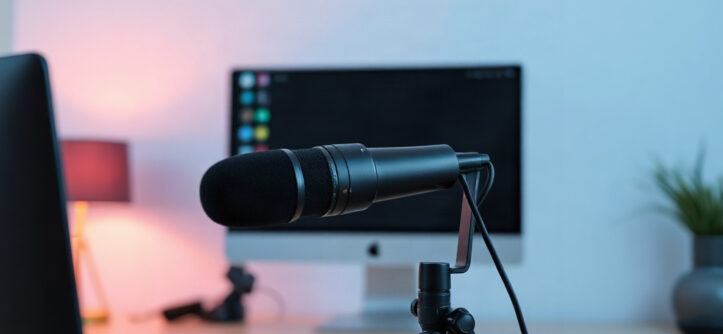
Remote meeting etiquette is the set of small habits that decide whether a video call feels smooth or chaotic. Picture a team review with one person echoing on speaker, another typing loudly, and a third framed by a ceiling fan. The discussion itself may be fine, but everyone remembers the noise. Most of these problems take seconds to prevent and cost nothing to fix. This guide covers the practical side: your microphone, your camera, your background, and the habits that hold them together. You can also find general //bereviewers.com/ advice on workplace technology to complement these basics.
Quick answer: Mute yourself when you are not speaking, keep your camera on when the meeting calls for it, and use a plain, well-lit background. Test your audio and camera before important calls, join a minute early, and treat the meeting as you would a shared conference room.
What is remote meeting etiquette?
Remote meeting etiquette is the shared standard of behavior that keeps video calls clear and respectful. It covers four visible choices: how your audio sounds, how your camera is set, what appears behind you, and how you participate. Each one affects everyone else on the call. Good etiquette is not about being formal. It is about removing small frictions so the group can focus on the work.
The four core elements
Think of a call as four layers, each with a simple goal.
| Element | What good looks like | What others notice |
|---|---|---|
| Microphone | Muted unless speaking; clear input | Echo, background noise, typing |
| Camera | Eye level, face lit, on when expected | Dark silhouette, awkward angles |
| Background | Plain, tidy, well lit | Clutter, distracting movement |
| Participation | One voice at a time, clear turns | Talking over others, silence |
The table is worth reading twice. Most complaints on calls trace back to one of these rows, not to the topic being discussed.
It is mostly about predictability
Well-mannered remote meetings feel predictable. People know when the host will share a screen, when to unmute, and how to ask a question. That predictability lowers the mental load of a call. When someone reads chat aloud, it signals others should glance at it. When the host says “let’s mute and take a quick five-minute break,” nobody wonders what happens next.
Rules travel with culture
A software team might keep cameras off and communicate heavily in chat. A client-facing call may expect cameras on and a tidy office backdrop. Neither is wrong. The etiquette is to read the room and match it. When you join a new team, watch two meetings before you change your defaults. You will learn more from observation than from any written policy.
The quietest, clearest call is not the most formal one. It is the one where everyone’s setup helps the others hear and be heard.
Why remote meeting etiquette matters

Every remote meeting consumes two kinds of time: the meeting itself and the friction around it. Friction is the five minutes lost to “sorry, you’re breaking up” or the ten minutes spent trying to find who talked over the client. Small habits eliminate most of that waste. The benefits compound across a week and across a team.
It protects focus and trust
A clear voice and a steady camera tell people you are present. A blurry, dark rectangle tells them you are half-there, even if you are fully listening. That perception matters when you are building relationships or presenting to a client. Trust is built in the small signals: remembering to mute when the dog barks, looking at the camera when you speak, and keeping your background from distracting others.
It saves time across the team
Consider a ten-person call that runs five minutes long because of unclear audio and repeated “sorry, what?”. That is fifty minutes of collective attention spent on something preventable. Multiply it across a week of meetings and the cost is real. Good etiquette is the cheapest performance improvement available to any team.
It makes inclusion possible
Some participants have hearing difficulties, noisy homes, or unreliable connections. A quiet room, a clear microphone, and clear turn-taking make it easier for them to join fully. Etiquette is not a courtesy to the host; it is a way to make sure everyone can contribute. When you mute responsibly and give others space to speak, you improve access for the people who need it most.
Best practices
Good setup plus good habits will cover almost every call. You do not need professional equipment, just a few deliberate choices made before the call starts and honored during it. You can read more about why is there an echo on Zoom and similar audio problems before they derail a meeting.
Microphone: default to mute
Mute is the safest default. Unmute when you begin speaking, then mute again. This one habit prevents most echo and background noise. For audio quality, a wired headset with a boom mic is the most reliable option for most people. Its microphone sits close to your mouth, so your voice arrives louder and clearer than room noise.
Camera: frame your face, not your ceiling
Place your camera at eye level, with a light source in front of you and not behind. A window behind your head turns you into a silhouette. Keep your face filling roughly the middle of the frame, with a little headroom. Look at the camera when you speak, and at the screen when you listen. Small adjustments make a large difference to how present you appear.
Background: choose plain over interesting
A tidy wall, a bookshelf, or a solid curtain works well. Use virtual backgrounds only when they render cleanly; a smudgy outline around your hair can distract more than the room behind you. Keep whatever is visible free of clutter, and avoid walking through a busy shared space. If you must take a call from a shared room, mention it once at the start.
Join the call a minute early. Check your mic level, glance at your framing, and confirm your name is correct. That tiny investment prevents the awkward “can you hear me?” opener.
Participation: share the floor
Speak in short turns and leave a pause before you jump in. Raise a hand or use the reaction button for larger meetings. Put phones on silent, and close tabs you do not need. If you must multitask, keep it off-camera and out of your voice. The host should call on quiet participants by name and read chat questions aloud before wrapping up.
Common mistakes to avoid
Most bad calls come from a short list of avoidable mistakes. Spotting them in yourself is easier when you know what to look for.
- Joining with the mic live. You introduce every background noise before you say a word.
- Speaking with a muted mic. You deliver a full sentence to silence, then repeat it, using twice the time.
- Facing a window. Backlighting makes you a shadow while everyone else leans in to squint.
- Multitasking visibly. Typing, scrolling, or eating on camera signals the meeting does not matter.
- Leaving the office chair mid-sentence. The camera keeps recording your empty seat.
- Hogging the floor. A long monologue with no pauses makes it hard for others to speak.
Each mistake is small, but the effects multiply. Three people joining unmuted in different rooms can make a call unusable. A clean habit removes the problem entirely. Fix one mistake at a time; over a few weeks, they disappear.
A muted line protects the group, not just you. If you are unsure whether the call allows interruptions, mute first. It is always acceptable to speak up, and rarely acceptable to broadcast your background noise.
FAQ
Do I have to turn my camera on?
Not always. Follow the host’s cue and the team norm. Client calls and first introductions usually reward a camera. Internal working sessions may be fine with cameras off, especially if bandwidth is limited. If you keep yours off, explain briefly once rather than staying silent.
Is it rude to mute myself the whole time?
Muting between statements is good practice. Staying muted while trying to speak is not. If you plan to contribute, unmute before you start talking, then mute again. The habit costs a click and prevents interruptions.
What if my internet or audio fails during a call?
Say so quickly in chat, then step out to reconnect. Do not narrate the troubleshooting aloud for everyone. Rejoin within a minute or two and let the host catch you up. Most teams accept technical hiccups when they are handled quietly.
How do I handle a noisy shared space?
Mute by default, use headphones, and say once at the start that you may step away. Avoid rooms with heavy foot traffic or loud conversations. If you cannot control the noise, turn off the camera and rely on the mic, or reschedule the call.
Should I join early or exactly on time?
Join a minute or two early for important calls so you can test audio and settle in. For routine internal meetings, being on time is enough. Hosts should open rooms slightly early and greet people as they arrive.
Conclusion
Remote meeting etiquette boils down to three reliable choices: mute until you speak, frame yourself clearly, and keep the background calm. Pair those with short turns and a thirty-second test before important calls, and you eliminate most friction. Pick one element to improve this week, whether it is your microphone, lighting, or background. Then check your usual meeting setup once with fresh eyes, and fix the piece that distracts others most. A small habit, repeated, is what makes remote meeting etiquette feel effortless to everyone on the call.